


Understanding technology is quietly turning into the biggest professional advantage in IT. A few years ago, getting a server running meant knowing a lot of commands. Today it can mean a few clicks in a portal, a wizard and a helpful AI assistant. That sounds like good news, and in many ways it is. But when every interface makes the work look easy, the people who stand out are the ones who know what is happening underneath. This guide explains why the knowledge behind the interface matters, how it shows up in cloud platforms like Microsoft Azure, and how to build it step by step.
The short version: tools are getting simpler, but the systems behind them are not. When something breaks, costs blow out or a security review lands on your desk, a smooth interface won’t help you. Understanding technology will. Professionals who can explain why something works, not just how to click through it, earn trust faster, solve problems sooner and keep their options open as technology keeps changing.
What Does “The Knowledge Behind the Interface” Actually Mean?
Every modern tool is an interface sitting on top of something more complicated. A cloud portal hides networks, identity systems, storage layers and billing engines. A low-code builder hides databases and APIs. An AI assistant hides a model, a prompt and a set of assumptions. The interface is designed to make the complexity feel manageable, which is exactly why it also makes the complexity easy to ignore.
The knowledge behind the interface is the layer of understanding that tells you what each click really does, what could go wrong and what you would check first if it did. It is the difference between operating a tool and understanding technology.
Interface Skills vs Understanding Technology

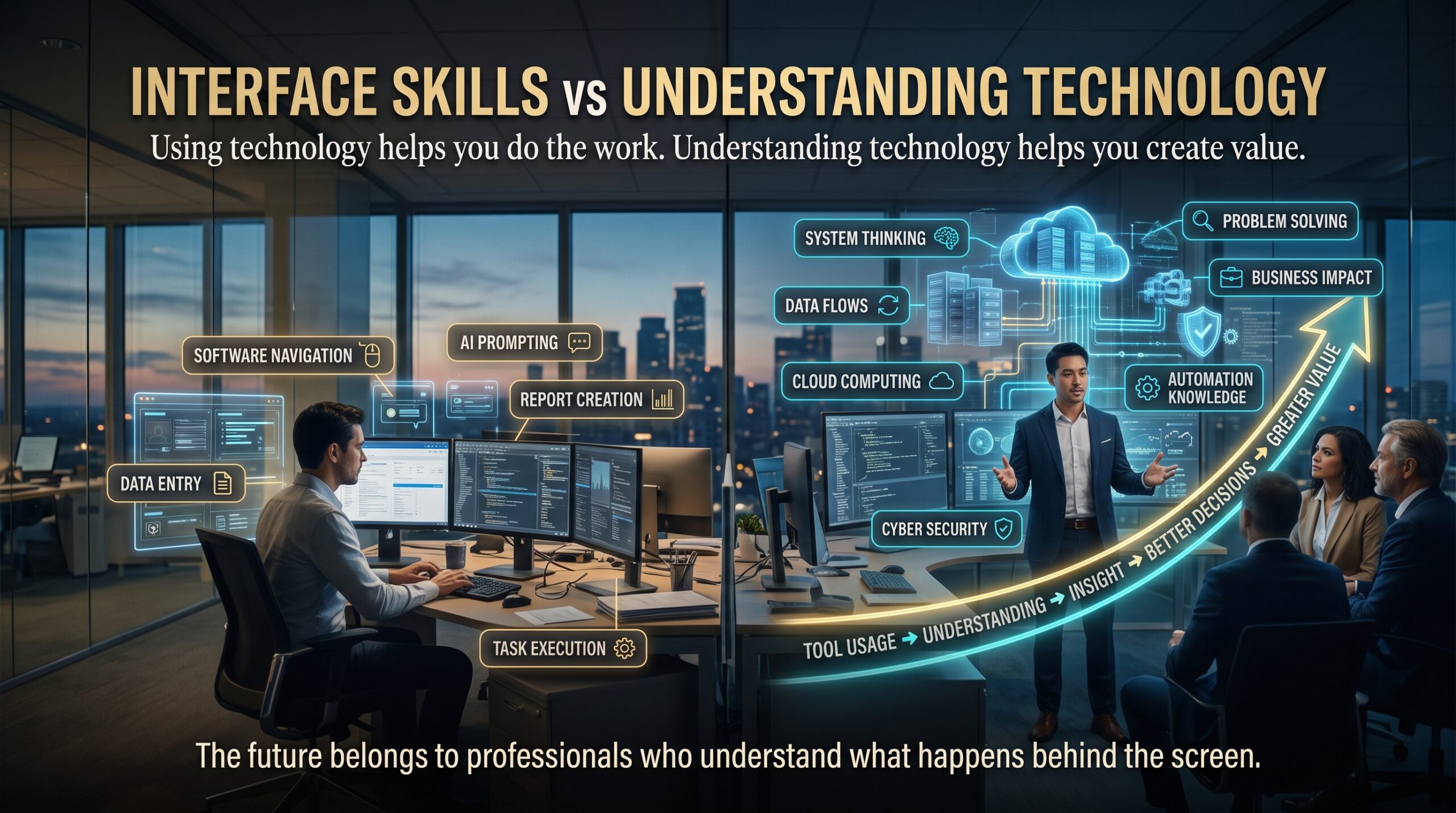
| Area | Interface skill | Deeper understanding |
| Troubleshooting | Follows a guide step by step | Forms a hypothesis and tests it |
| Change | Re-learns the tool when the screen changes | Transfers knowledge to any new tool |
| Security | Ticks the recommended boxes | Knows what each control protects against |
| Cost | Picks the default size | Matches design to workload and budget |
| Communication | Describes what they clicked | Explains the trade-offs to non-technical people |
| AI tools | Accepts the generated answer | Checks, corrects and improves it |
Why Understanding Technology Is Becoming a Professional Advantage
Several trends are pushing in the same direction. Each one makes basic operation easier while making real understanding more valuable.
- Abstraction is everywhere. Platforms hide complexity by design. That helps beginners start, but it means problems surface in places the interface never showed you.
- AI can produce work, but someone has to verify it. An assistant can draft a script or a configuration in seconds. Deciding whether it is safe, efficient and correct is a human job that depends on understanding technology.
- Incidents need root causes. When an outage happens, the person who can trace the problem through networking, identity and application layers is worth far more than the person who can only repeat the usual steps.
- Security and cost have real consequences. One open port or oversized resource can create a breach or a bill. Understanding technology at that level lets you make those calls with confidence.
- Roles keep changing. Industry research such as the World Economic Forum’s Future of Jobs reporting points to technology skills and continuous learning as major drivers of change in work. Deep understanding travels with you when the job title doesn’t.
For Australian professionals, Jobs and Skills Australia publishes occupation and skills data that is worth checking when you plan your next career step. The Australian Computer Society also publishes research on the ICT workforce and the skills employers want.
The AI Assistant Effect
AI assistants make the knowledge gap more visible, not less. Two people can type the same prompt and get the same answer. One pastes it straight into production. The other reads it, spots that the suggested role is far too broad, and tightens it before anyone is exposed. Same tool, same speed, completely different outcome. That second person is the one employers want to hire, because understanding technology is what makes AI output safe to use.
Where the Knowledge Behind the Interface Shows Up in Azure
Microsoft Azure is a good example because its portal is friendly and its depth is enormous. Here is what a few everyday actions are really doing.
| What you click | What is really happening | Why understanding matters |
| Create a virtual machine | Compute, disk, network interface and virtual network resources are provisioned | Misconfigured networking or oversized compute causes risk and cost |
| Assign a role | Role-based access control grants permissions through Microsoft Entra ID | Too much access is a common security weakness |
| Open a port | A network security group rule changes who can reach the resource | One rule can expose a workload to the internet |
| Scale up a service | A different pricing tier and capacity are applied | Small choices compound into large monthly bills |
| Deploy a template | Infrastructure is created from declarative code such as Bicep or ARM | Understanding the code lets you review, reuse and fix it |
Microsoft’s own guidance reinforces this idea. The Azure Well-Architected Framework is built around reliability, security, cost, operations and performance, which are all things the portal alone can’t decide for you. The shared responsibility model is another reminder that knowing where the provider’s job ends and yours begins is a skill in itself.
Five Ways to Build Your Understanding of Technology
- Ask “what happens next?” after every click. Make it a habit. Trace the action through networking, identity, storage and billing until you can explain it in plain language.
- Start with strong fundamentals. Cloud concepts, pricing, governance and security basics make everything else easier. The AZ-900 Azure Fundamentals course is designed for exactly this.
- Build, break and fix in a lab. Real understanding comes from fixing things you’ve broken. The hands-on content in AZ-104 Azure Administrator focuses on implementing, managing and monitoring real Azure environments.
- Read the documentation, not just the tutorial. Tutorials show you the path. Documentation on Microsoft Learn shows you the map. Spend time on the “concepts” pages as well as the “how to” pages.
- Go deeper on security and design. Once you can operate Azure, learn to protect and design it with AZ-500 Azure Security Technologies and AZ-305 Azure Solutions Architect.
Common Understanding Technology Mistakes That Keep Professionals at the Surface
- Memorising click paths. Screens change. Concepts last.
- Trusting AI output without checking it. Speed is only useful when the answer is right.
- Ignoring networking and identity basics. Most cloud problems trace back to one of these two.
- Treating cost as someone else’s problem. Understanding what you deploy includes understanding what it costs.
- Collecting certificates without hands-on practice. A badge helps, but evidence of real understanding is what closes interviews.
- Staying in one tool’s comfort zone. If you only know one interface, you only know one product. Our article on the comfort zone tax explains what that can cost you.
Two Cloud Admins, One Friday Afternoon: An Understanding Technology Example
It’s 4:45 pm on a Friday and a business application is slow. Two administrators get the alert. The first checks the dashboard, sees nothing red and restarts the service. The slowness returns an hour later.
The second asks a different set of questions. Has traffic changed? Is the database throttling? Did a recent network rule alter a route? Within twenty minutes she finds a resource sitting on a tier that can’t handle the weekly reporting load, explains the cause to the manager in plain English, and proposes a fix with a cost estimate. Both used the same portal. Only one had the habit of understanding technology beneath the screen, and that is the person who gets the next big project.
How to Prove You Understand What Is Behind the Interface
Understanding technology is invisible until you show it. Here are practical ways to make it visible to managers, clients and recruiters.
- Write short design notes explaining why you chose a particular option, not just what you chose.
- Document runbooks so others can follow your reasoning during an incident.
- Share lab write-ups or architecture sketches on LinkedIn or an internal wiki.
- In interviews, answer “why” and “what if” questions with specific trade-offs.
- Earn certifications that test understanding, then pair them with hands-on examples.
A Certification Path That Builds Understanding Technology Skills
Role-based Azure certifications are useful because each level supports understanding technology at a different layer of what sits behind the interface. Here is how the main courses map out.
| Course | Layer it helps you understand | Who it suits |
| AZ-900 Azure Fundamentals | Cloud concepts, core services, pricing and governance | Beginners and non-technical professionals |
| AZ-104 Azure Administrator | Implementing, managing and monitoring Azure infrastructure | Admins and system engineers |
| AZ-204 Azure Developer | Building and running cloud applications | Developers |
| AZ-700 Azure Networking | How traffic really moves through Azure | Network engineers |
| AZ-500 Azure Security | Identity, data and network protection | Security professionals |
| AZ-305 Solutions Architect | Designing scalable, governed solutions | Architects and senior engineers |
| AZ-400 DevOps Solutions | Automation, delivery pipelines and operations | DevOps and platform engineers |
Not sure where to begin? Our guide on the Azure certification roadmap and the Azure certification comparison can help you choose. For broader training, Logitrain also offers an Azure course and a cybersecurity course.
Understanding Technology Across Australian Cities
The value of understanding technology deeply shows up everywhere, but the context differs by market. Here is a general guide, with links to the local training pages.
| City | Typical technology environment | Why understanding stands out | Local page |
| Sydney | Large enterprises, finance and managed service providers | Complex, regulated cloud estates | Azure training Sydney |
| Melbourne | Enterprise, health, education and technology firms | Mixed hybrid environments | Azure training Melbourne |
| Brisbane | Government, resources and growing cloud adoption | Teams doing more with smaller crews | Azure training Brisbane |
| Perth | Resources, mining and energy infrastructure | Reliability and remote-site constraints | Azure training Perth |
| Adelaide | Defence, health and education | Security and compliance focus | Azure training Adelaide |
| Canberra | Federal government and defence | Strict security expectations | Azure training Canberra |
You can train in person in major cities or join live online from anywhere in Australia. See all locations for details.
Keep Reading: Related Career Articles
If this topic resonates, these articles explore related ideas: why skill security is replacing job security, why adaptability is replacing experience, the legacy IT skills trap and the cost of waiting to learn Azure.
Frequently Asked Questions About Understanding Technology
Why is understanding technology important for IT careers?
Tools change quickly, but the concepts underneath change slowly. Understanding technology lets you adapt to new platforms, troubleshoot faster and explain decisions clearly, which employers value highly.
Will AI replace the need to understand how technology works?
AI makes it easier to produce work, but it doesn’t remove the need to check it. Someone still has to judge whether an answer is secure, efficient and right for the business. That judgement comes from understanding.
How can I learn what is happening behind the Azure portal?
Start with fundamentals, then practise in a lab and ask what each action changes behind the scenes. That habit is the core of understanding technology. Structured courses such as AZ-900 and AZ-104 give you a guided way to build that habit.
Do I need a technical background to start?
Not necessarily. Azure Fundamentals is designed for beginners, career changers and non-technical professionals who need strong cloud awareness. More advanced certifications suit people with some IT experience.
Which Azure certification should I start with?
AZ-900 is the common starting point for newcomers. From there, choose AZ-104, AZ-500 or AZ-305 depending on whether you want to administer, secure or design cloud solutions.
Final Thoughts: Make Understanding Technology Your Edge
Interfaces will keep getting friendlier, and that is a good thing. But the professionals who thrive will be the ones who know what the interface is hiding. Build your fundamentals for understanding technology, practise in a lab, ask better questions and prove your understanding. Ready to start? Browse all Azure certifications, read the FAQs or contact our team to find the right course for you.