
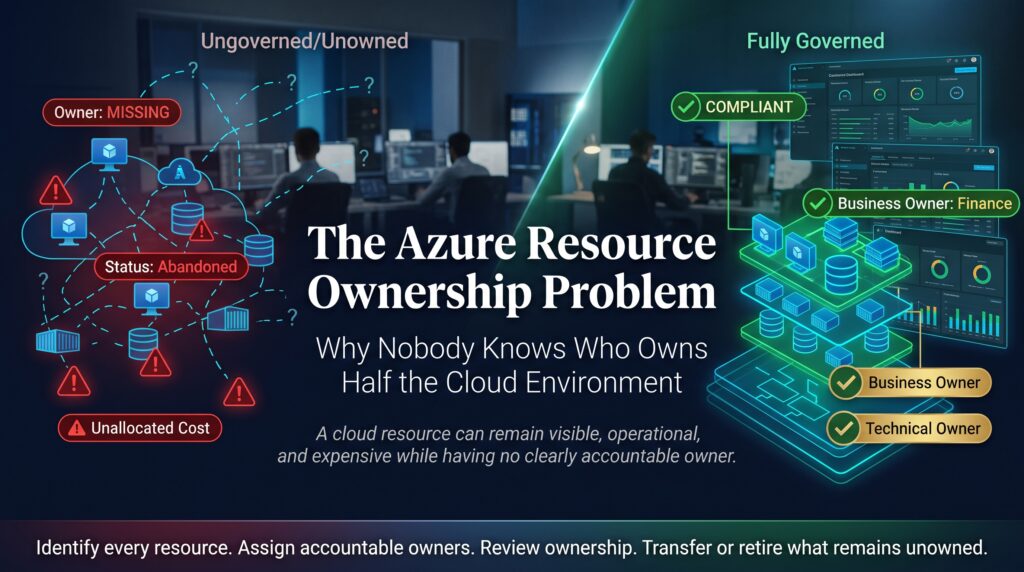


The Azure resource ownership problem shows up the first time someone asks, “Who owns this virtual machine?” and nobody in the room can answer. The resource is running, it is costing money, and it might be holding important data or sitting open to the internet. Yet no name, team or cost centre is attached to it, and nobody wants to be the one to switch it off.
This guide explains why the Azure resource ownership problem is so common, what it costs in money and risk, and how cloud teams can fix it with tags, policy, access control and a few steady habits. It is written for cloud administrators, architects, IT managers and anyone preparing for an Azure certification.
What Is the Azure Resource Ownership Problem?
Every resource in Azure, from a virtual machine to a storage account, should have a person or team who answers for it. The Azure resource ownership problem is what you get when that link is missing. The resource exists, but nobody can say why it was created, who pays for it, or whether it is still needed.
This is related to shadow IT, where technology appears outside formal oversight, but it happens inside official subscriptions too. Even well-run teams end up with unowned resources simply because cloud makes it so easy to create things and so easy to forget them.
How the Azure Resource Ownership Problem Starts
Nobody plans to create a mystery. It grows through everyday decisions:
- Quick portal builds. Someone creates a resource by hand to test an idea, and it never gets tagged or documented.
- Proof-of-concept leftovers. Experiments are finished but the resources are left running.
- Staff and contractor turnover. The person who created a resource leaves, and ownership leaves with them.
- Migrations and restructures. Teams merge or split, and resources are moved between subscriptions without updating records.
- Automation and service identities. Pipelines and service principals create resources, but nobody tracks which team they were acting for.
- Shared resource groups. Unrelated resources are mixed together, so the group itself says nothing about who is responsible.
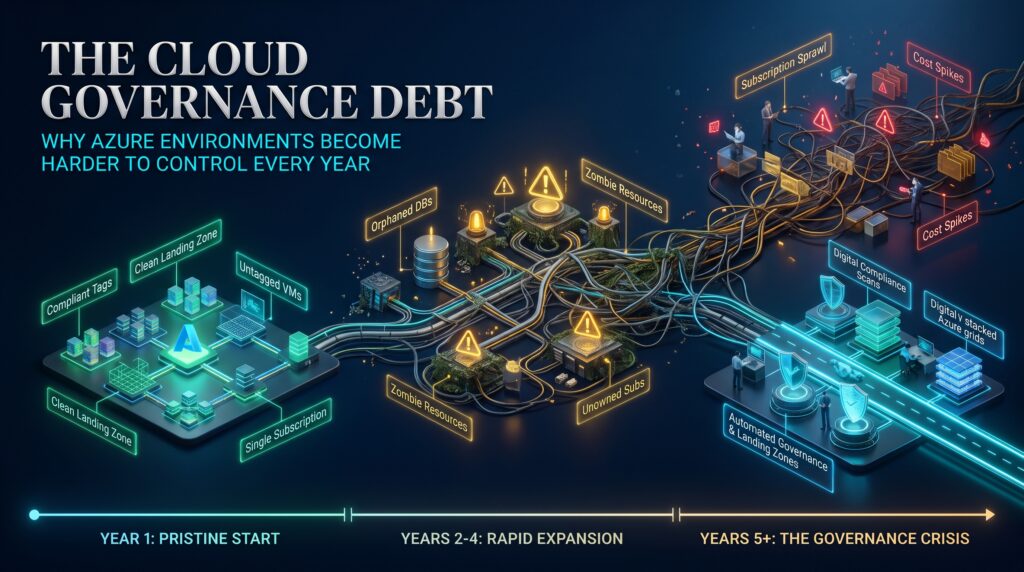
Each of these is small and understandable. Over a year or two they add up to a large Azure resource ownership problem that feels impossible to untangle.
Warning Signs of the Azure Resource Ownership Problem
- Cost reports show spending that no team recognises or accepts.
- Resource groups have names like “test”, “new-rg2” or “do-not-delete”.
- Many resources have no tags, or tags that are blank or inconsistent.
- Security alerts about a resource cannot be routed to anyone because the owner is unknown.
- Clean-up projects stall because people fear deleting something important.
- Access lists include people who left the organisation long ago.
The Real Cost of the Azure Resource Ownership Problem
An unowned cloud environment is expensive in several ways at once.
- Wasted spend. Idle virtual machines, unattached disks and unused public IP addresses keep billing every month. Our article on the Azure cost anomaly problem shows how quickly this can build up.
- Security exposure. Unpatched, unmonitored resources are easy to miss and attractive to attackers.
- Slow incident response. When something goes wrong, teams lose valuable time working out whom to call.
- Compliance risk. Auditors expect you to know what data lives where and who is accountable for it.
- Clean-up paralysis. Nobody can approve a deletion, so the problem grows.
That last point is the cruel part of the Azure resource ownership problem. The longer it runs, the harder and riskier it becomes to fix.
Common Examples of Unowned Azure Resources
- Virtual machines created for a project that ended years ago.
- Managed disks left behind after a VM was deleted.
- Storage accounts holding unknown data with no retention rule.
- Public IP addresses that are not attached to anything.
- Test resource groups created by a contractor.
- App registrations and service principals with no known purpose.
How to Fix the Azure Resource Ownership Problem
You can make real progress without a massive project. Here is a practical order of work.
- Find out what you have. Use Azure Resource Graph to list resources across subscriptions and filter for those with no owner tag.
- Define your ownership model. Decide how subscriptions, management groups, resource groups and tags map to teams, applications and cost centres.
- Set a minimum tag standard. Require a small set of tags such as owner, cost centre, environment, application and expiry date.
- Enforce it with Azure Policy. Azure Policy can require tags on new resources, audit missing ones and, where suitable, inherit tags from the resource group.
- Grant access to groups, not individuals. Use Azure role-based access control with Microsoft Entra ID groups so access follows the team instead of a single person.
- Connect cost to owners. Set budgets and alerts per owner or cost centre in Microsoft Cost Management so spending lands in front of the right person.
- Handle unknown resources carefully. Tag them as unowned, notify likely teams, set a response deadline, and take a snapshot or backup before shutting anything down. Stop before you delete.
- Add ownership to joiner, mover and leaver processes. When someone changes role or leaves, transfer their resources deliberately.
- Review regularly. Run a short monthly or quarterly ownership report and follow up on the gaps.
Microsoft’s Cloud Adoption Framework offers detailed guidance on naming, tagging and governance if you want a deeper reference.
A Minimum Tag Set for Azure Resource Ownership
A short, consistent tag standard is the single most useful tool against the Azure resource ownership problem. Here is a simple example:
| Tag name | Example value | Purpose |
| Owner | [email protected] | Who answers questions and approves changes |
| CostCentre | FIN-1042 | Who pays for the resource |
| Environment | Production | Separates production from test and development |
| Application | Payroll | Shows what the resource supports |
| ExpiryDate | 2026-12-31 | Prompts review of temporary resources |
Keep the list short. Teams follow five tags far more reliably than fifteen. Where possible, let policy and automation fill in the values so people are not relying on memory.
Mistakes That Keep the Azure Resource Ownership Problem Alive
- Relying on naming conventions alone, which are easy to ignore and impossible to enforce.
- Tagging an owner as a single person with no backup or team address.
- Running a one-off clean-up and never repeating it.
- Deleting unknown resources without a backup or a notification period.
- Treating this as an IT clean-up task when it needs business owners to take part. For more on the bigger picture, read our posts on the Azure governance gap, cloud governance debt and Azure Policy drift.
Azure Skills That Help You Solve Ownership Problems
Good governance depends on people who understand how Azure is structured. These certifications build that knowledge:

- AZ-900 Azure Fundamentals covers core cloud concepts, governance and cost management.
- AZ-104 Microsoft Azure Administrator teaches you to manage identities, resources, governance and monitoring.
- AZ-305 Azure Solutions Architect helps you design governance models and scalable architectures.
- AZ-500 Azure Security Technologies focuses on securing identities, data and platforms.
- AZ-400 Microsoft DevOps Solutions covers automation, pipelines and consistent deployments.
Explore the full list on our Azure certifications page, follow the Azure certification roadmap, or check the FAQs and Azure blog.
Learn Azure in Your City
Whether you are tackling an Azure resource ownership problem at work or building a cloud career, training is available in person and live online:
- Azure certification in Melbourne
- Azure certification in Sydney
- Azure certification in Brisbane
- Azure certification in Perth
- Azure certification in Adelaide
- Azure certification in Canberra
Not sure which course suits you? Contact our team for friendly advice.
Frequently Asked Questions About the Azure Resource Ownership Problem
What is the Azure resource ownership problem?
It is the situation where Azure resources exist without a clear owner, so nobody can say who created them, who pays for them or whether they are still needed.
How do you find unowned resources in Azure?
Use Azure Resource Graph to query resources across subscriptions and filter for missing owner or cost centre tags. Cost reports and resource group names can also provide clues.
How do you enforce tagging in Azure?
Use Azure Policy to require specific tags on new resources, audit existing resources and inherit tags from resource groups where appropriate.
Is it safe to delete orphaned Azure resources?
Only after checking. Notify likely owners, take a snapshot or backup, stop the resource first and wait for a response period before deleting.
Which Azure certification helps with governance and resource management?
AZ-104 Azure Administrator covers resource and governance management, while AZ-305 Azure Solutions Architect covers designing governance and architecture at scale.
Final Thoughts
The Azure resource ownership problem is not a technical mystery. It is what happens when it is easier to create resources than to account for them. A small tag standard, enforced by policy, backed by group-based access and reviewed regularly, turns an anonymous cloud environment into one where every resource has someone who answers for it.
Ready to build the skills to govern Azure with confidence? Explore our Azure certifications and start your next step in cloud.